
How to download Sonic GT FREE for PC (Windows)
Sonic GT is a game for PC which, as its name suggests, is about the famous blue hedgehog, the flagship of the Sega company: Sonic. This time it will not be a horizontal scrolling game as usual in the classic Sonic video games, nor will it be in 2D as it has been until now. We will have a breakthrough since this game will follow the same essence of the previous ones because it will be a platform game, but it will be developed in 3D and we can move freely around the map, not just forward and backward as now.
- Status: In development (Demo version available)
- Platform: Windows
- Genre: Platformer
- Size: 1 GB
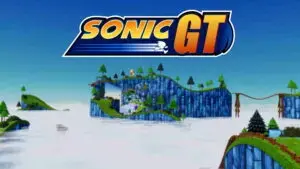
How to play Sonic GT on PC Windows for free
To play Sonic GT free on PC we will have to perform the following steps:- Download the game from the link we provide at the bottom of this page.
- In case it asks for permissions, allow the download from unknown sources.
- Wait for the game to download.
- Go to the location where we have downloaded the file (downloads folder, or the folder we have selected).
- In case the file is compressed in .zip or .rar we will decompress this file.
- Once this is done inside the folder we will find an .exe file or an installer.
- Run the installer.
- Follow the installation instructions in the wizard.
- Finish the installation process.
- We can now play Sonic GT on our computer.